
Magnetometer
The magnetometer is an advanced or experimental feature and is not a required step for regular first-time use. Enabling the magnetometer can greatly extend the average drift time of the trackers, but it has certain requirements on the magnetic environment.
Before Using
Environment requirements
The magnetometer is sensitive to its environment. If the surrounding magnetic field is unsuitable, enabling it may reduce tracking quality instead.
Firmware requirement
Use firmware dated 2026-06-04 or later. On older firmware, complete the Firmware Update first.
When the magnetic environment is suitable, enabling the magnetometer can greatly improve tracker stability. Before using it, confirm that your tracker model supports a magnetometer, complete normal device and wearing calibration, and stay away from magnets, speakers, motors and large metal structures.
Enabling Steps
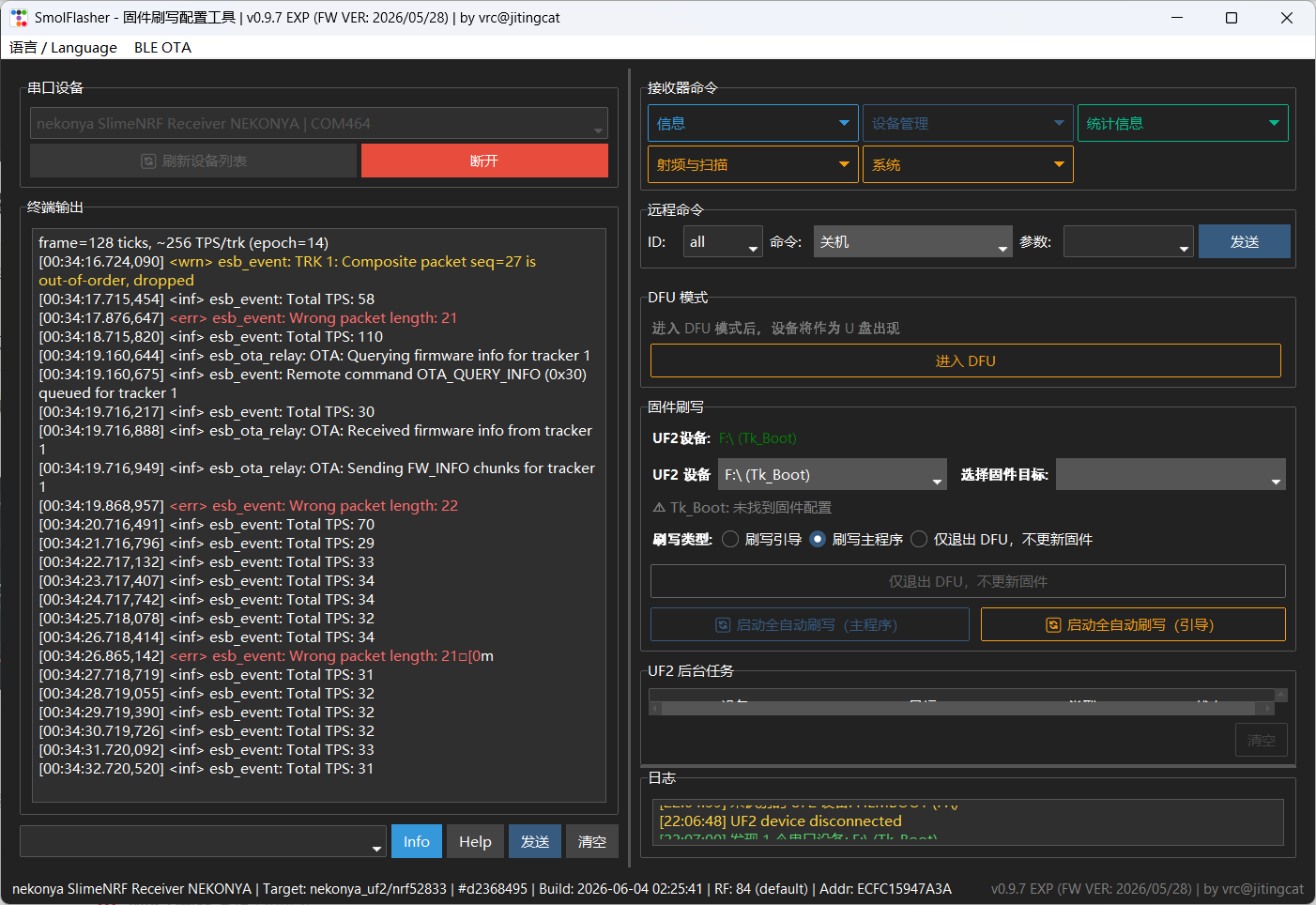
Get the flashing configuration tool that matches your current firmware from the support QQ group 1102960192 or the Download Center. Open it, click “refresh list” once, then select the receiver.
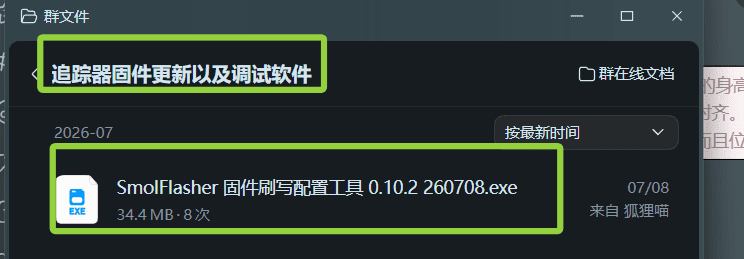
Get the firmware flashing configuration tool from the group files. 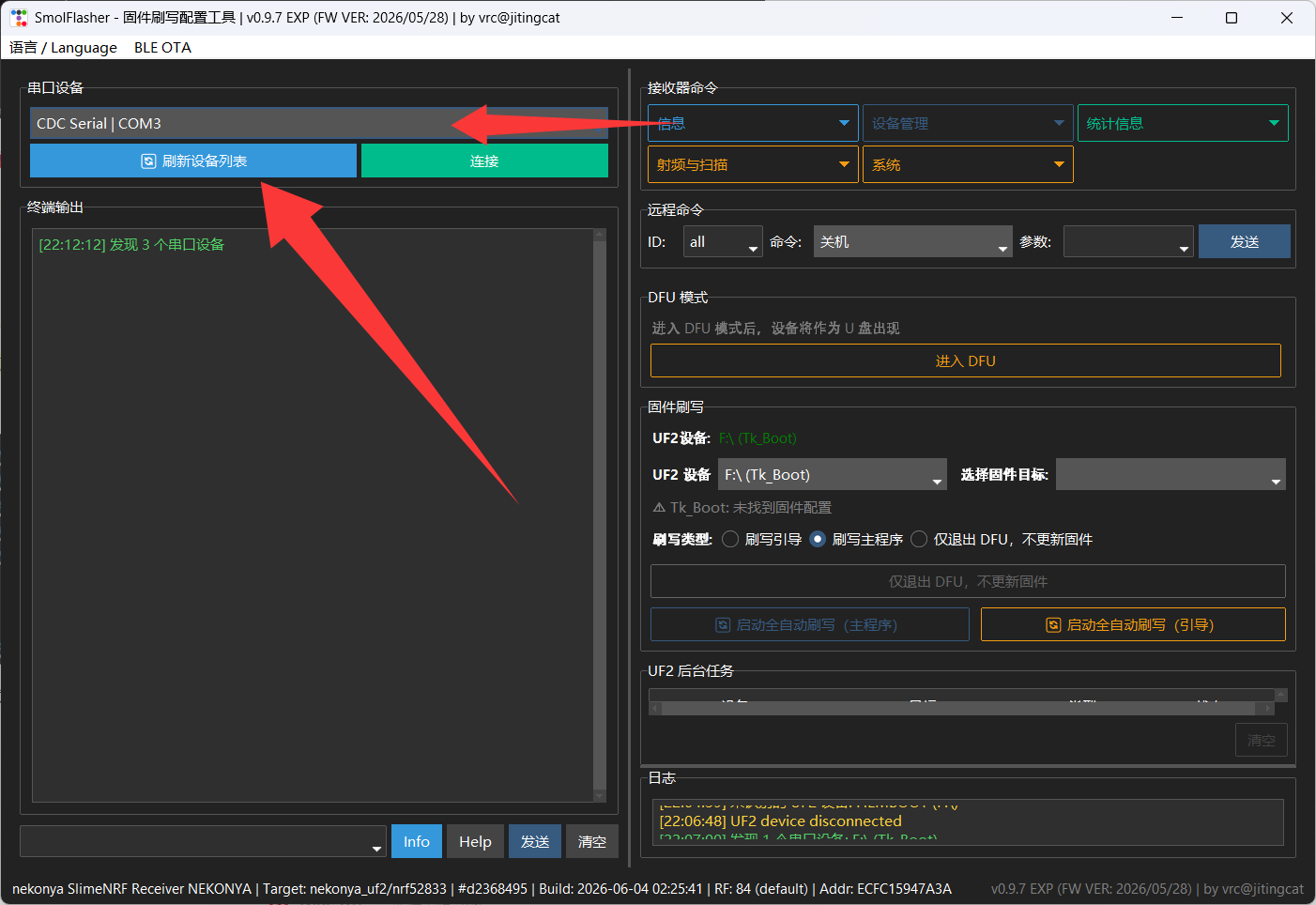
Refresh the list, then select the receiver. In “commands”, select “enable magnetometer”, send it, and wait about 3 seconds.
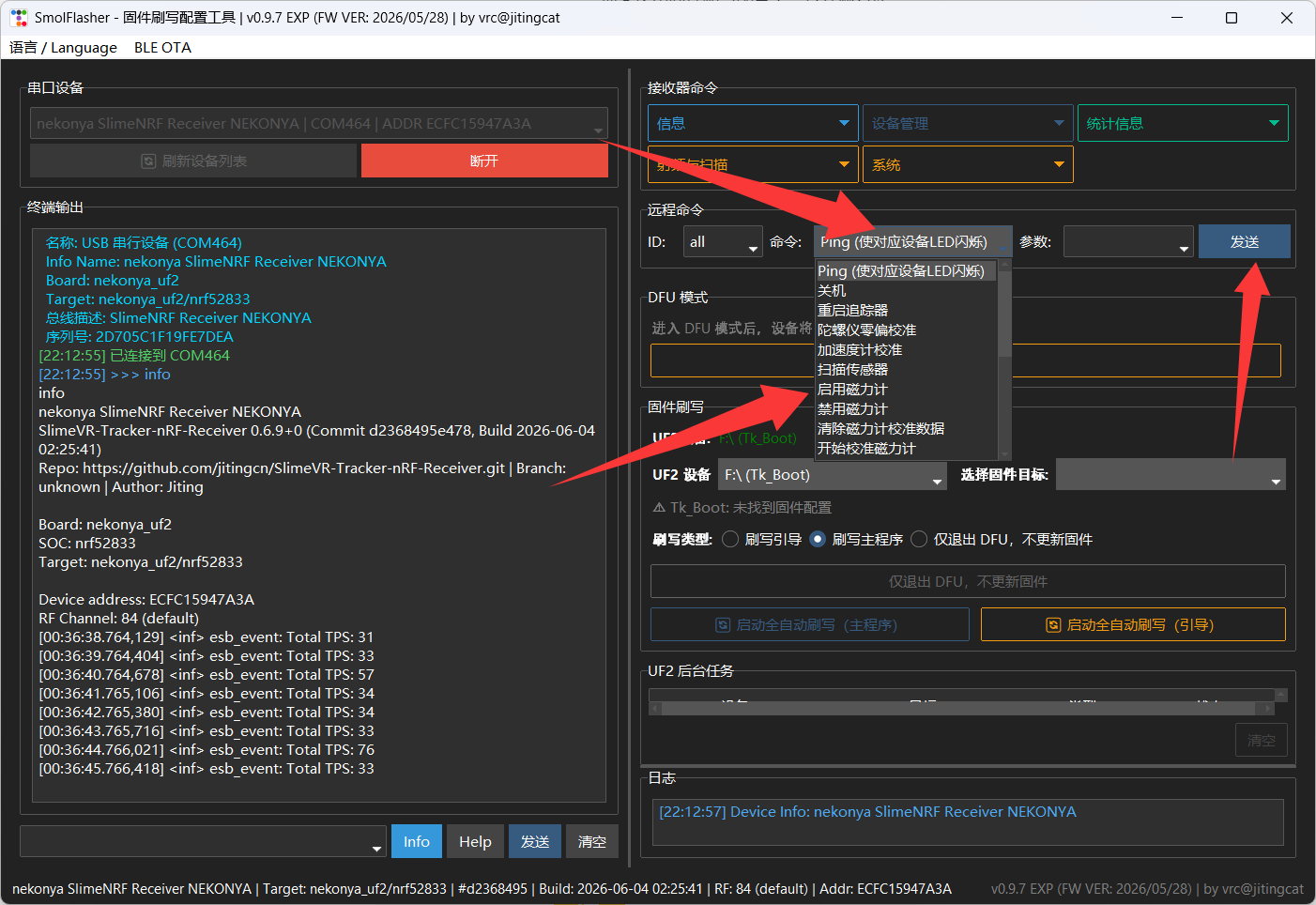
Select “enable magnetometer” and send. Then select “restart tracker”, send it, and wait about 3 seconds.
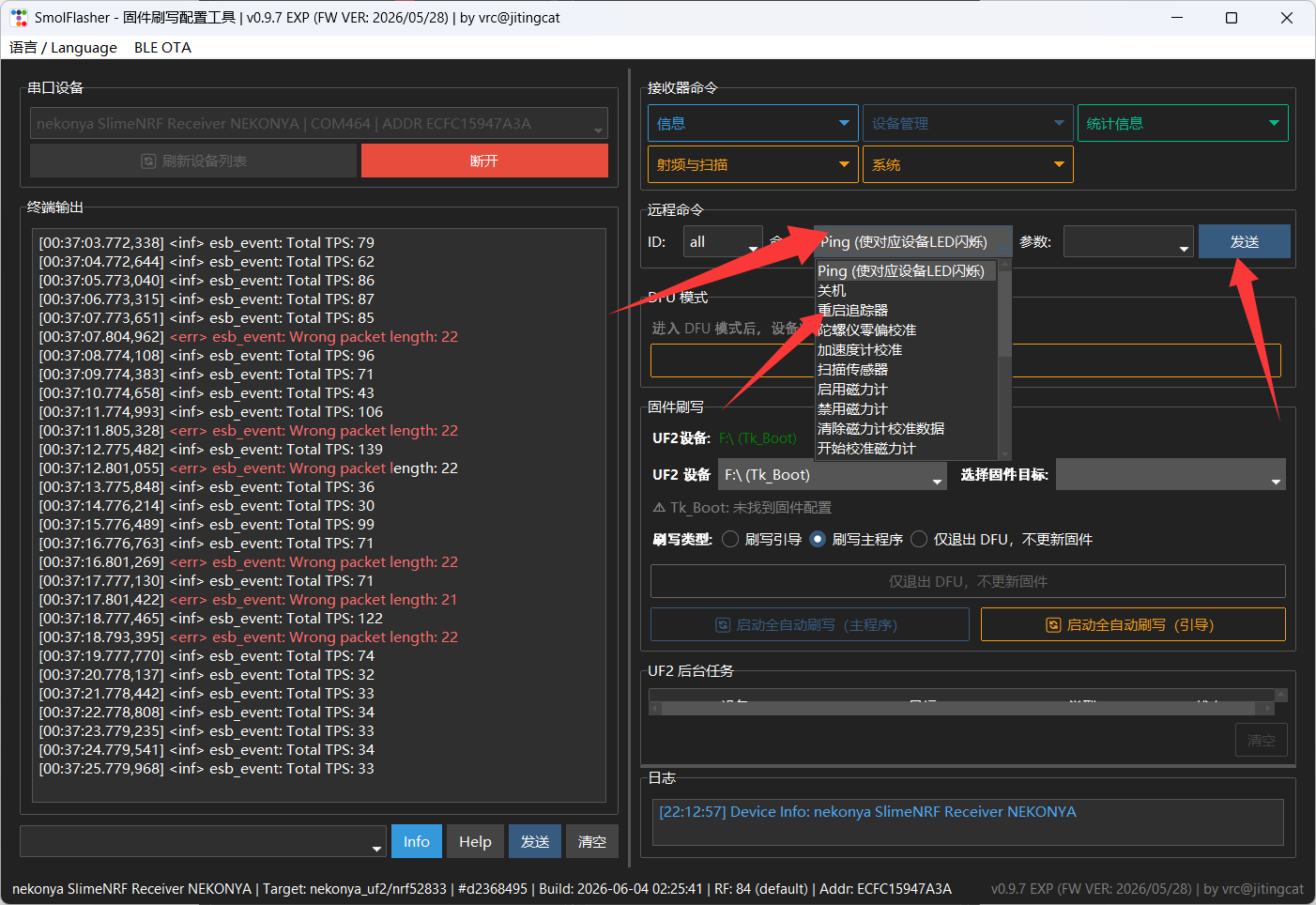
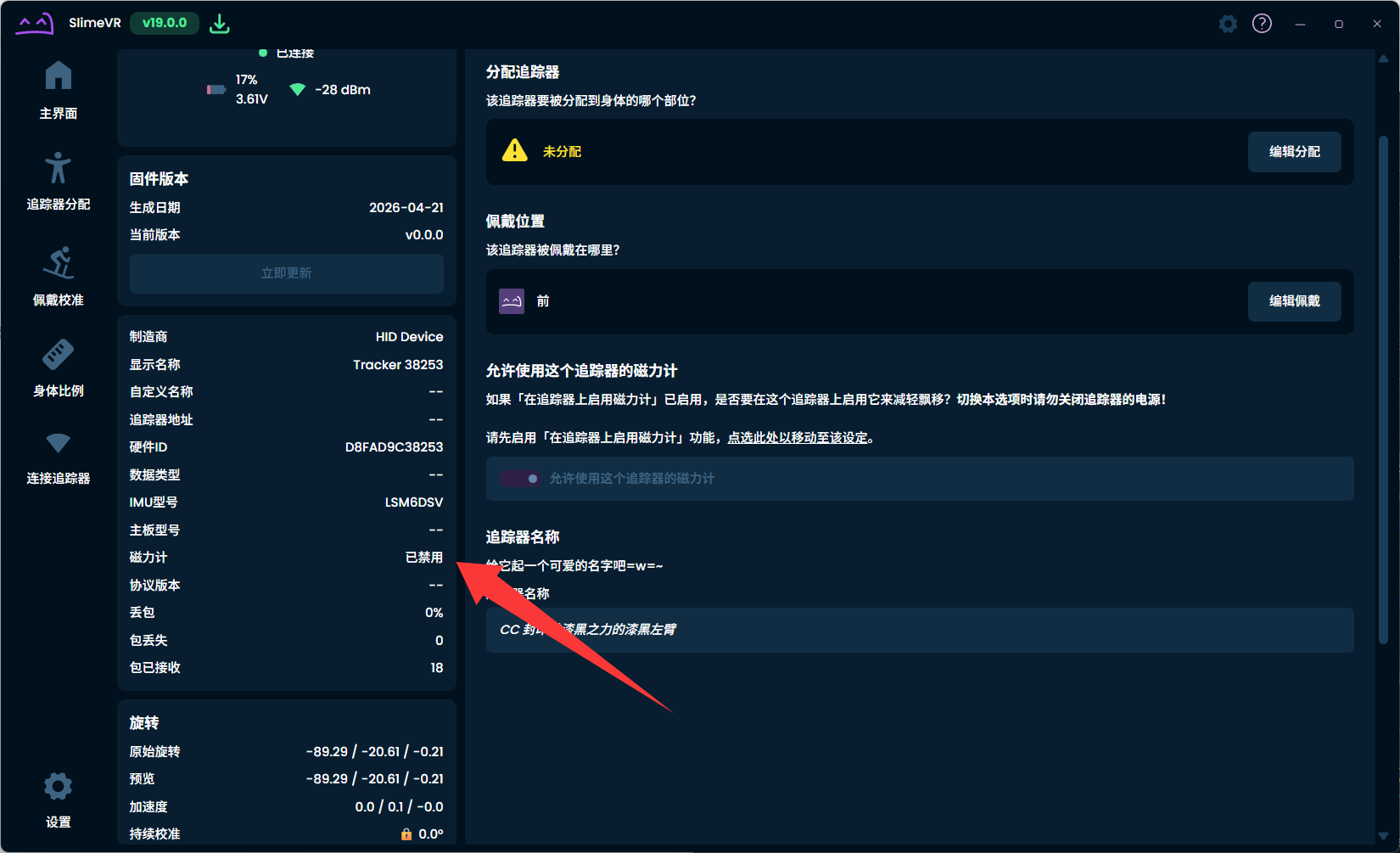
Then select “restart tracker”. Reopen SlimeVR and confirm the magnetometer state. If it still shows disabled, fully quit SlimeVR and start it again.
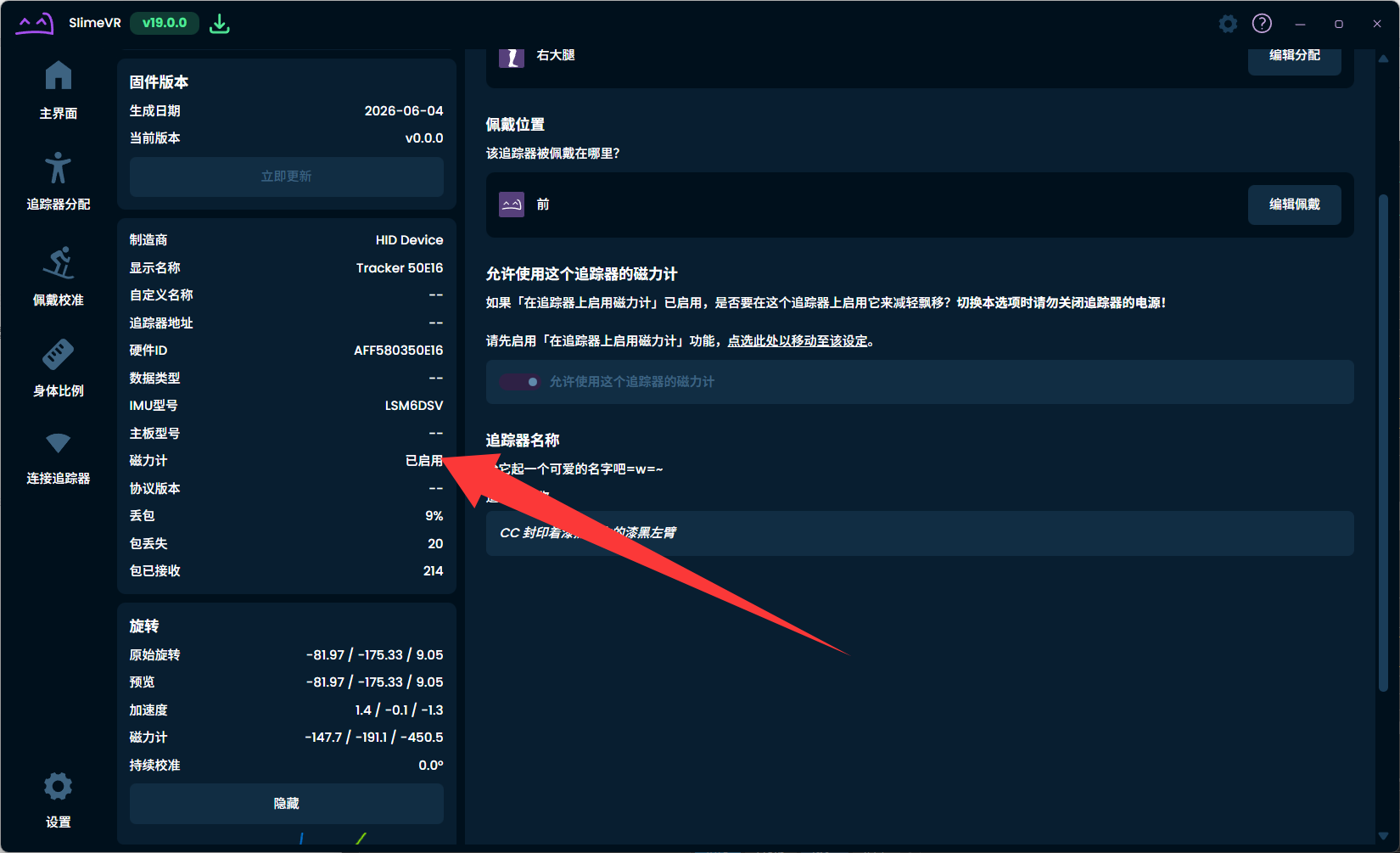
Restart SlimeVR and confirm the state. Turn off continuous calibration while using the magnetometer. After enabling it for the first time, turn around a few times in place so the device adapts to the current environment.
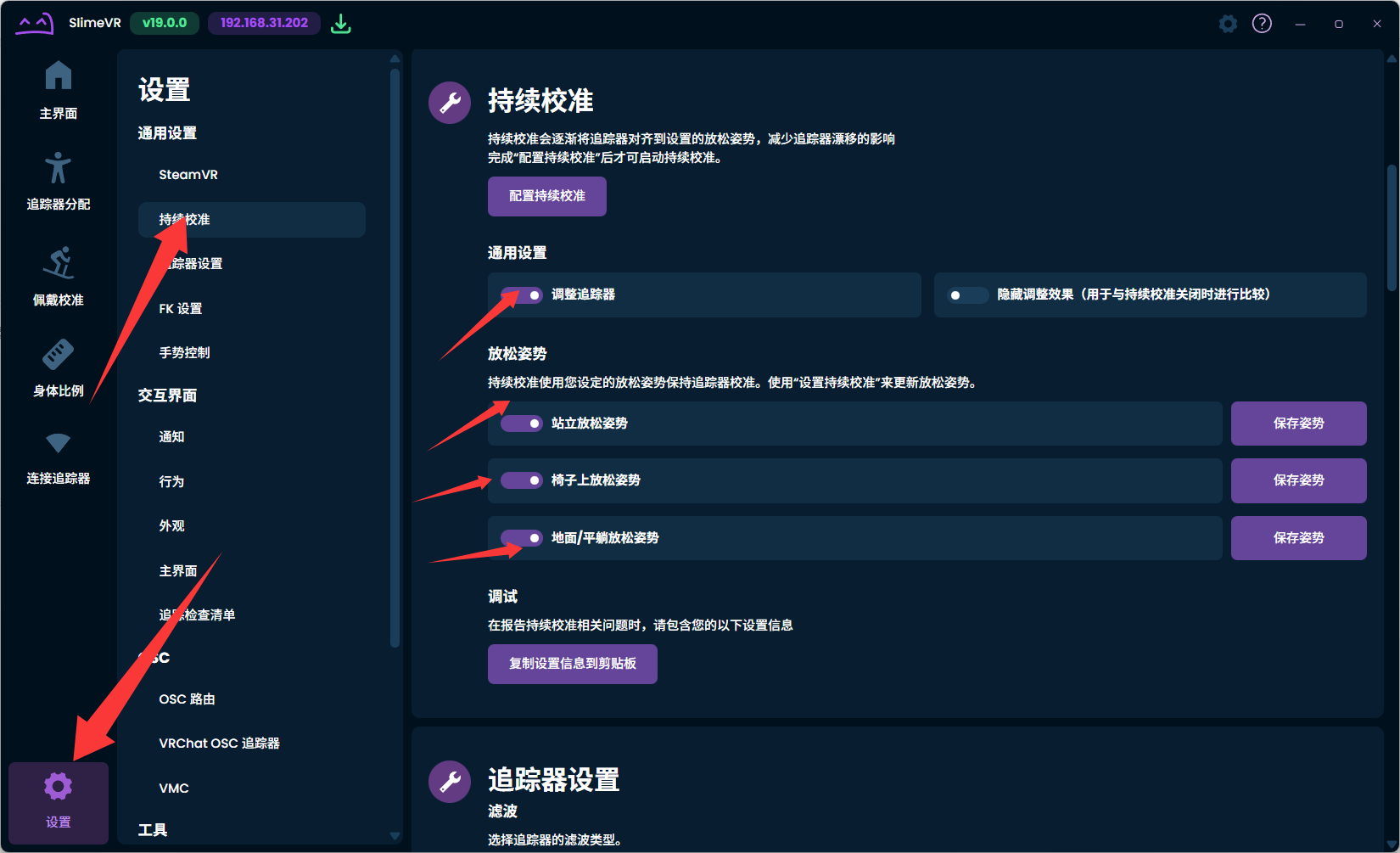
Turn off continuous calibration while the magnetometer is enabled.
Do not replace troubleshooting with test features
Orientation errors or drift are not necessarily caused by the magnetometer. First check wearing direction, calibration flow and whether devices are loose.